Studio doesn’t have a native material/shader editor. If you want to change what shader an item or a character’s skin, hair, or clothing uses, you need MaterialEditor installed. Here’s the whole workflow.
1. Select your character and open MaterialEditor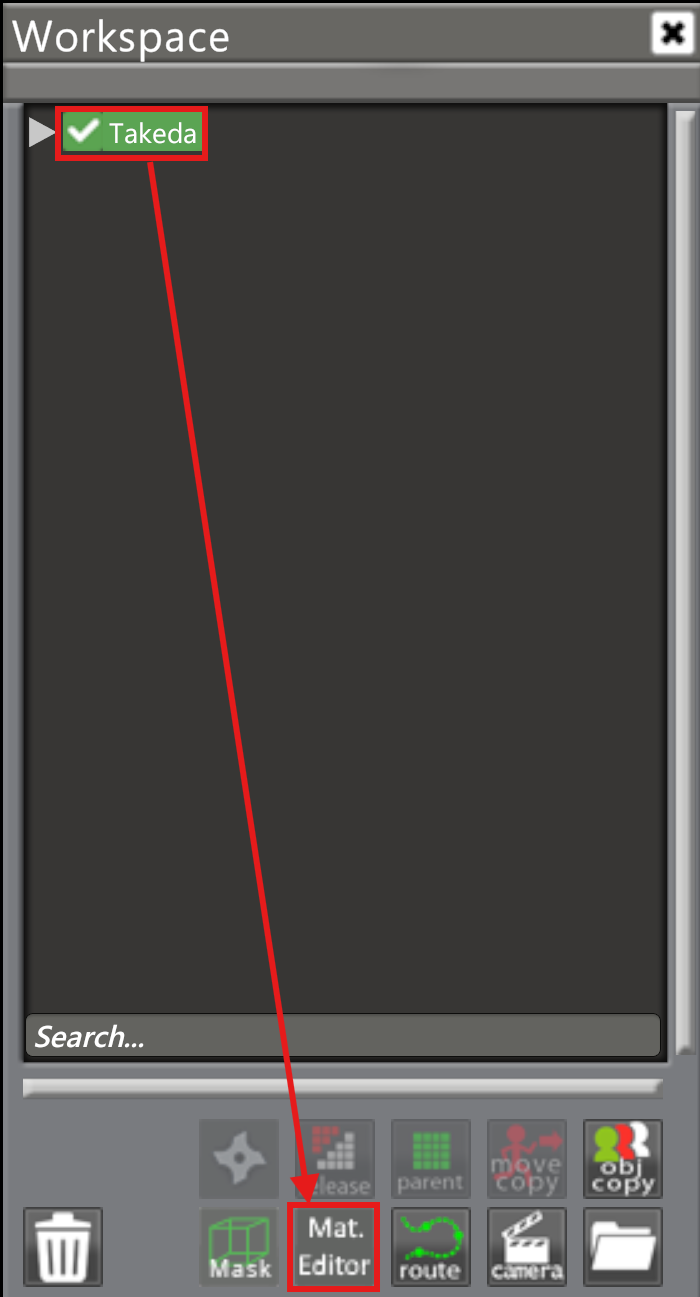
2. Pick what you’re editing
Click the toggle at the top of the panel to choose between the character and an item, then pick the
specific part you want to change. In this example, that’s the character’s hair.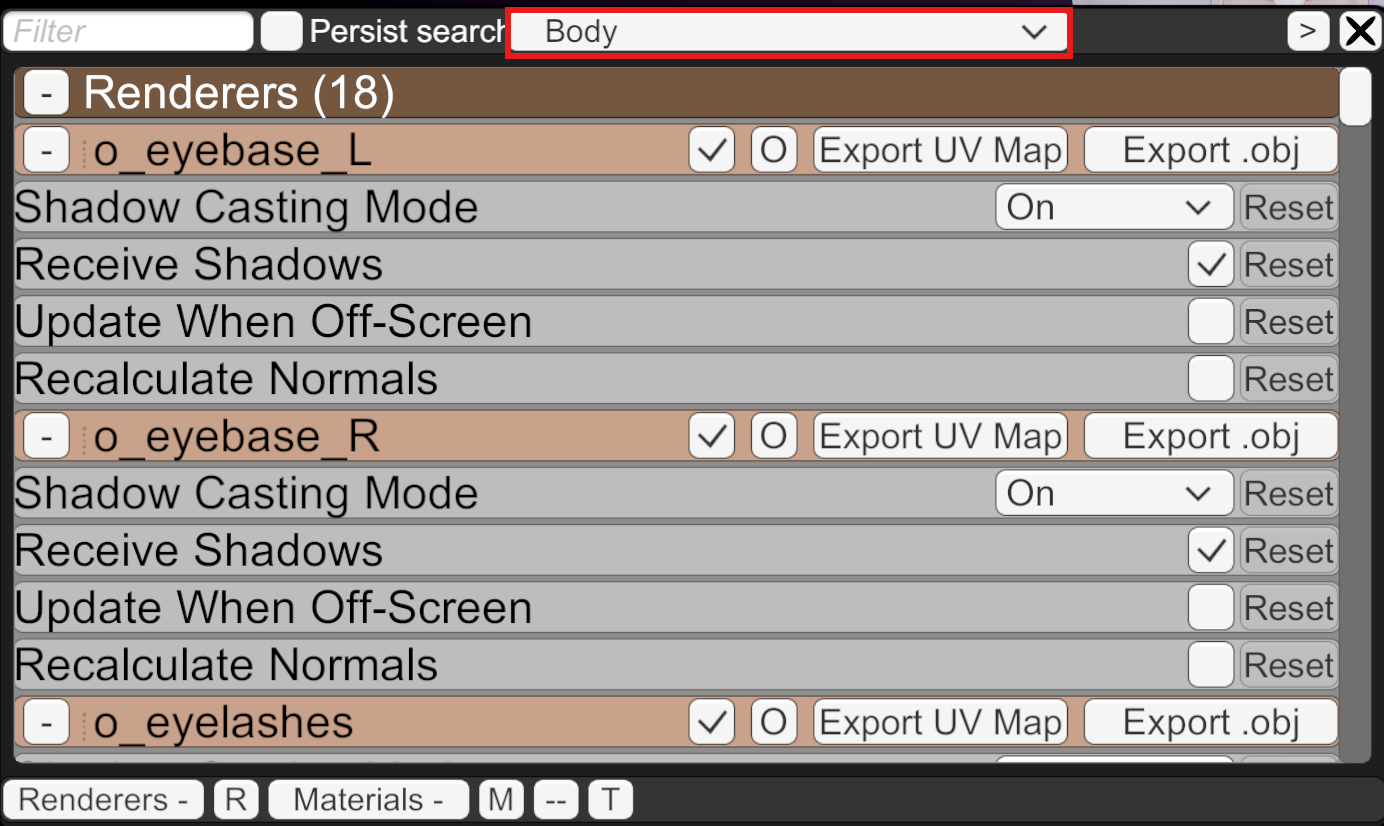
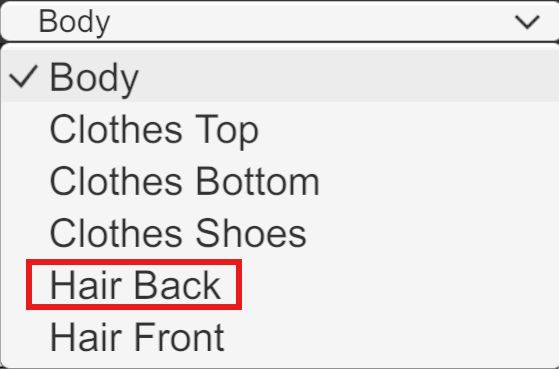
3. Scroll down to Materials
Keep scrolling down the panel until you reach the Materials section.
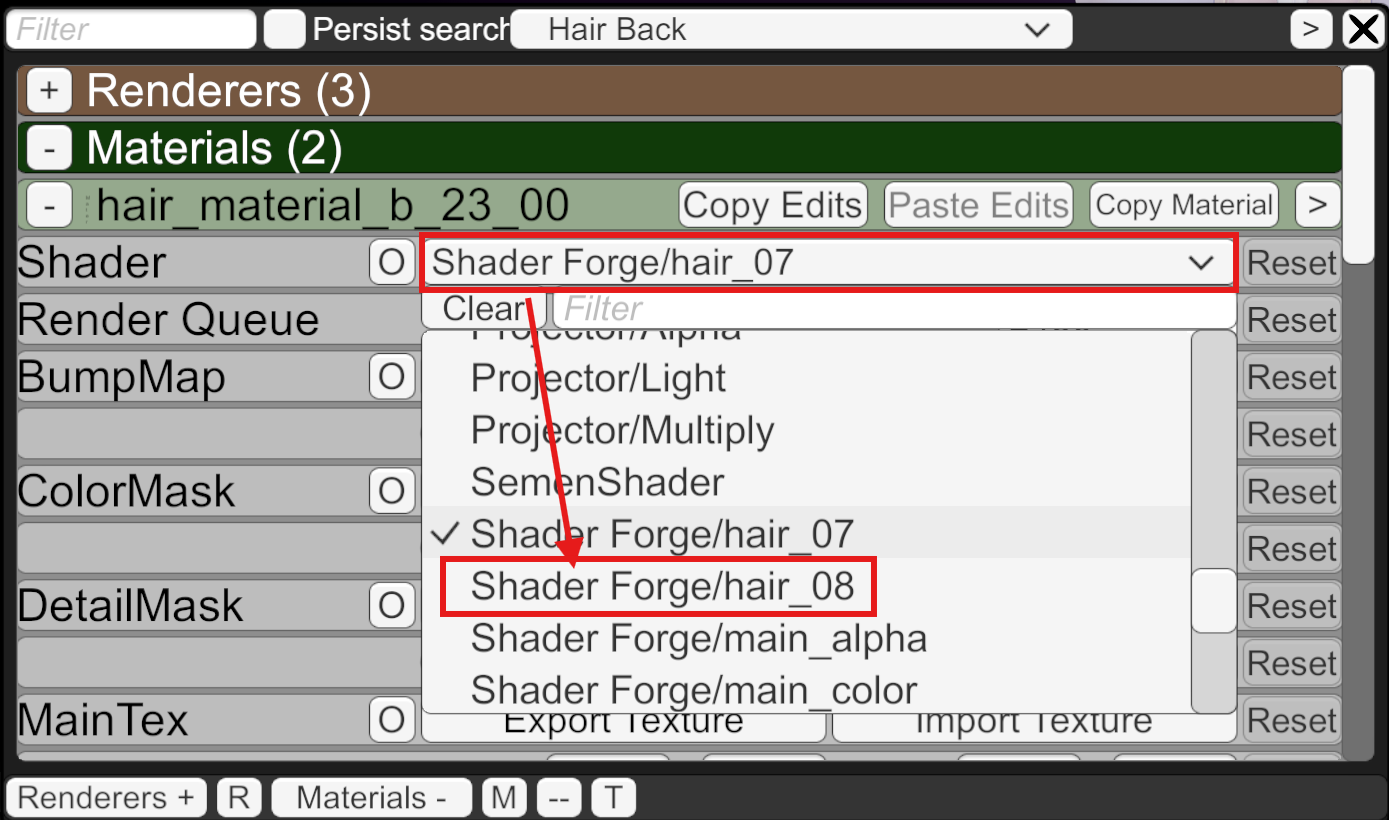
4. Change the shader
Click the dropdown next to Shader and pick the new one you want to apply.
Done. The change applies immediately and saves with the scene.